TAX COMPLIANCE GUIDE
Steps to Pay the Advance Tax
Step-by-step instructions for paying Advance Tax online via the official Income Tax e-Filing Portal.
Verified & Reviewed By
CA Neeraj Jaiswal & CA Hardik Chotalia (Partners, NHJC & Company)
Income-tax Act, 2025Official Income Tax Source
Direct e-Pay Tax Portal Access
Click below to open the official Income Tax portal directly and complete your payment.
01
ACTION:
Click on E- Pay Tax
Portal Screen: Step 01Income Tax e-Filing
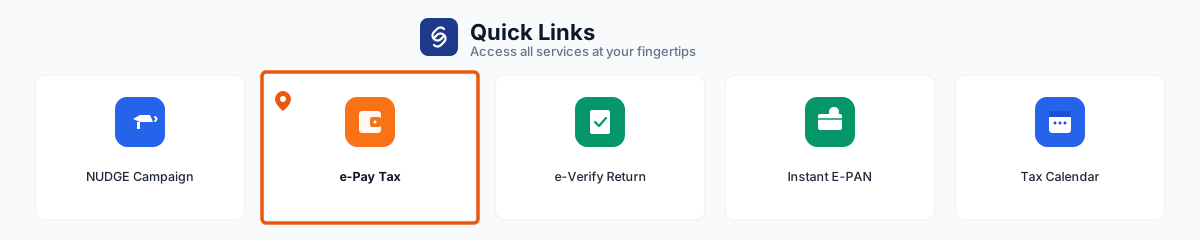
On the Income Tax e-Filing Portal, locate and click on E- Pay Tax under Quick Links.
02
SELECT:
Select Income Tax Act 2025
Income-tax Act, 2025
Portal Screen: Step 02Income Tax e-Filing
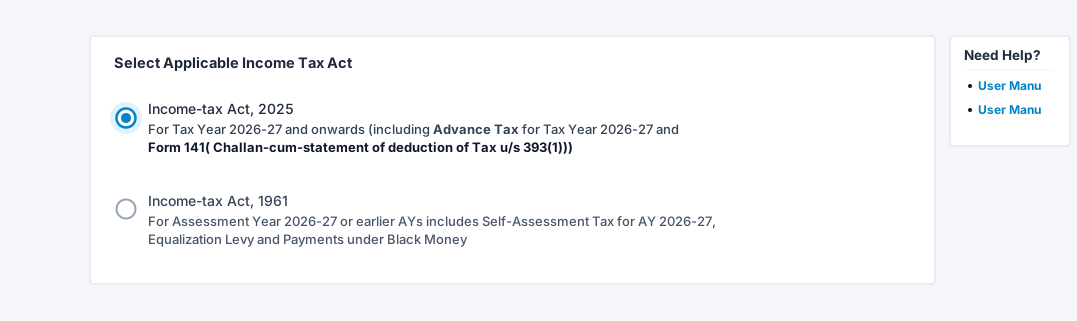
On the Select Applicable Tax Act screen, select Income-tax Act, 2025 and click Continue.
03
ENTER:
Enter your Pan and Phone number
Portal Screen: Step 03Income Tax e-Filing
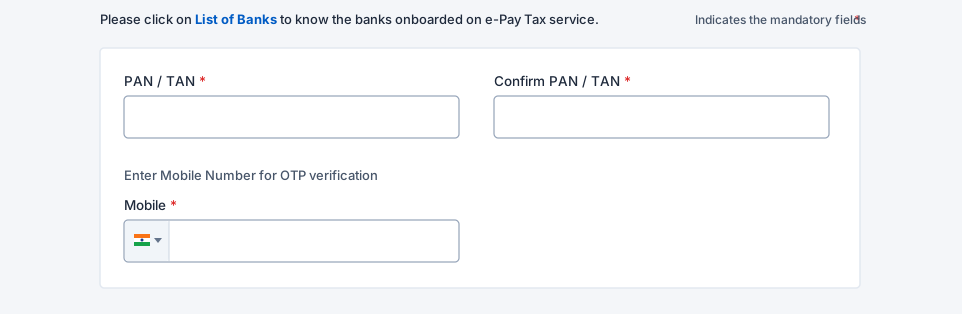
Enter your PAN, confirm PAN, provide mobile number, and click Continue.
04
VERIFY:
Verify with OTP
Portal Screen: Step 04Income Tax e-Filing
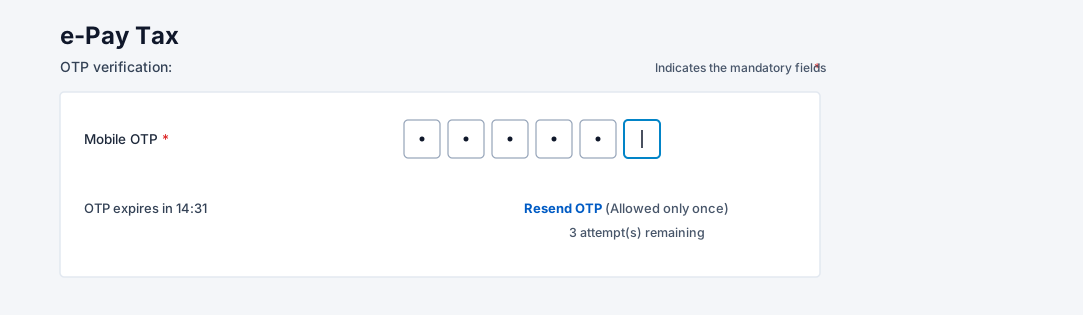
Enter the OTP received on mobile number and verify.
05
ACTION:
Click on the Income Tax
Income Tax
Portal Screen: Step 05Income Tax e-Filing
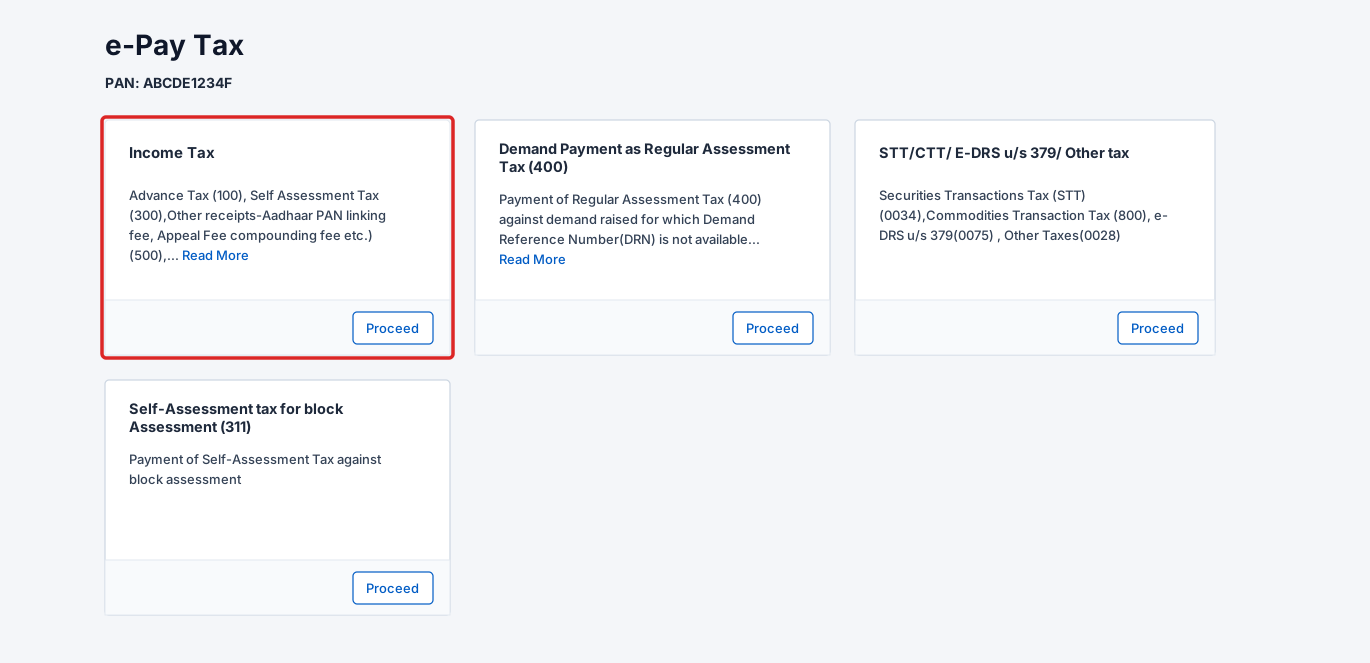
Under e-Pay Tax options, select Income Tax (IT) and click Proceed.
06
SELECT:
Select Advance Tax
Advance Tax (100)
Portal Screen: Step 06Income Tax e-Filing
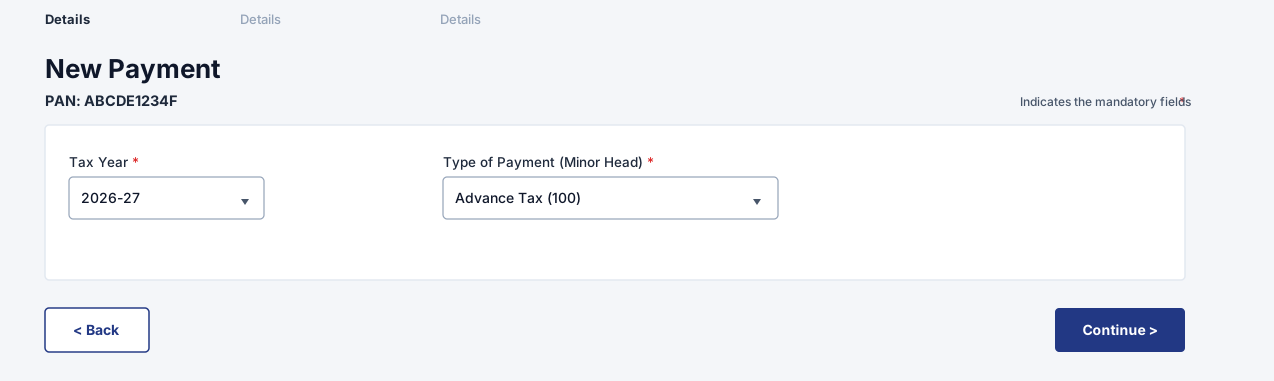
Select Assessment Year and choose Advance Tax (100) under Type of Payment.
07
ENTER:
Put the tax amount
Portal Screen: Step 07Income Tax e-Filing
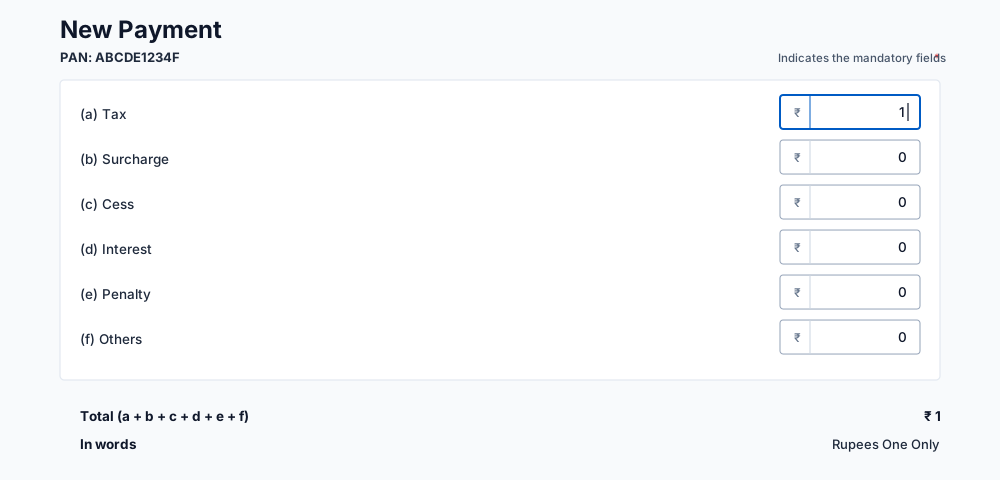
Enter the calculated tax amount in the breakup fields and continue.
08
PAYMENT:
Select the appropriate Bank and make the payment
Portal Screen: Step 08Income Tax e-Filing
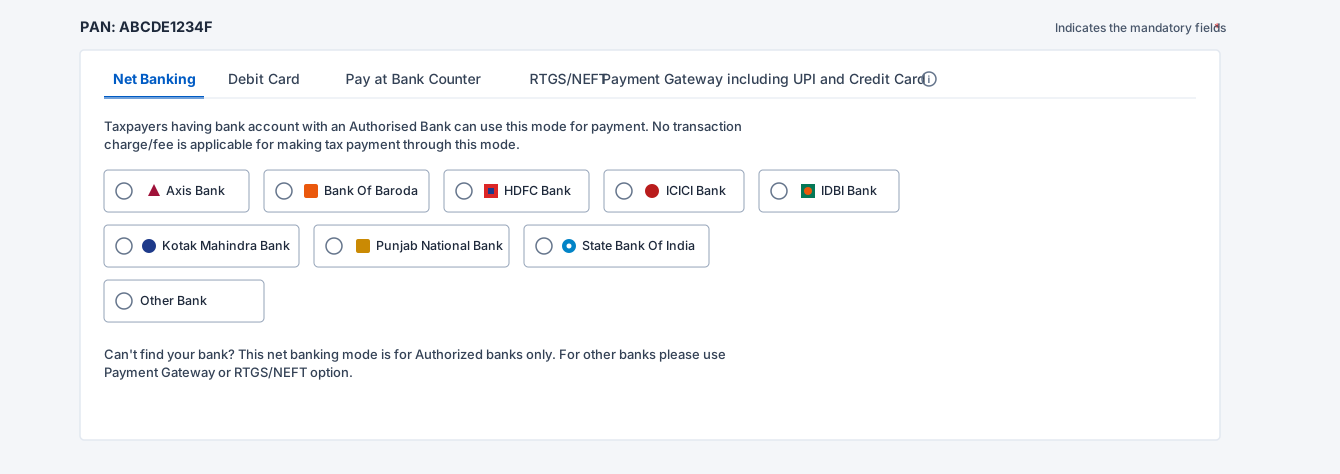
Select payment mode, choose your bank, and complete the payment.
Need Assistance with Tax Payment?
Have Questions Regarding Your Advance Tax?
Get in touch with our chartered accountants for direct assistance with calculations, challan generation, and compliance.