Pay TDS Liability Online
Step-by-step visual instructions for paying monthly TDS liabilities online via the official Income Tax e-Filing Portal.
CA Neeraj Jaiswal & CA Hardik Chotalia (Partners, NHJC & Company)
Income Tax e-Pay Tax Portal
Click to open official e-Filing portal for TDS payment.
Steps to Pay TDS Liability
9-step walkthrough matching the Income Tax Portal
Select Applicable Income Tax Act (Act 2025)
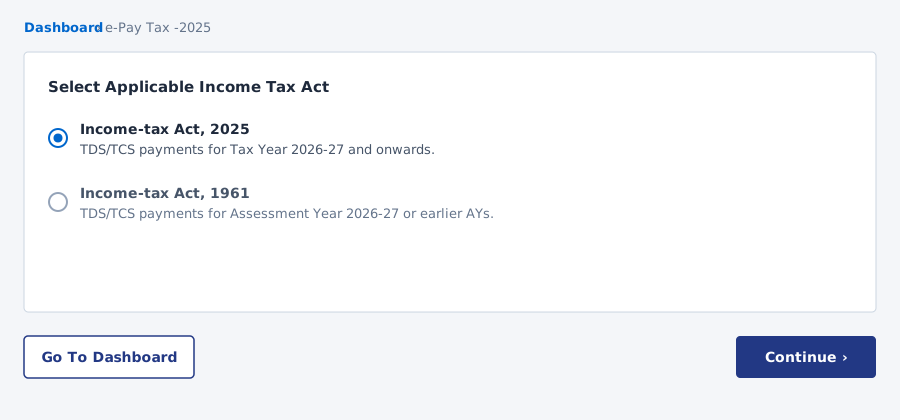
On the e-Pay Tax 2025 portal screen, select the radio button for 'Income-tax Act, 2025' and click Continue.
Enter TAN & Mobile Number for OTP Verification
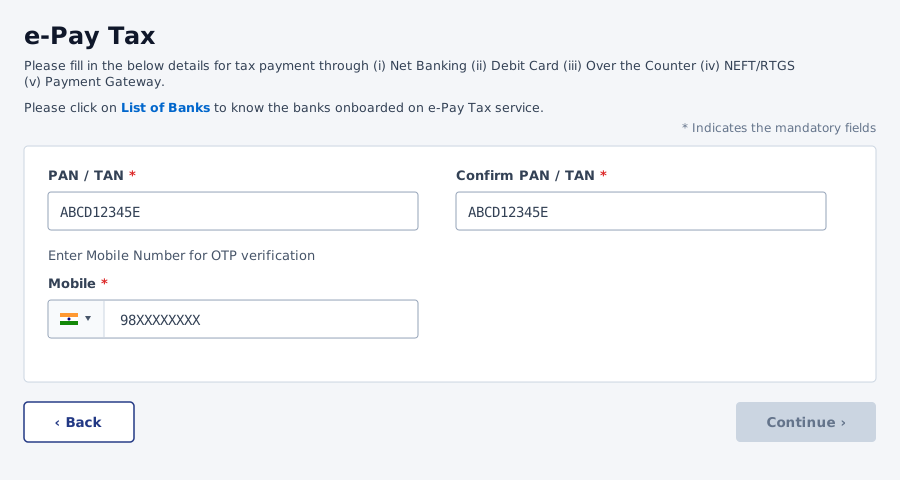
Enter your 10-digit TAN in the first field, confirm TAN in the second field, enter active mobile number, and click Continue.
Click + New Payment on e-Pay Tax Dashboard
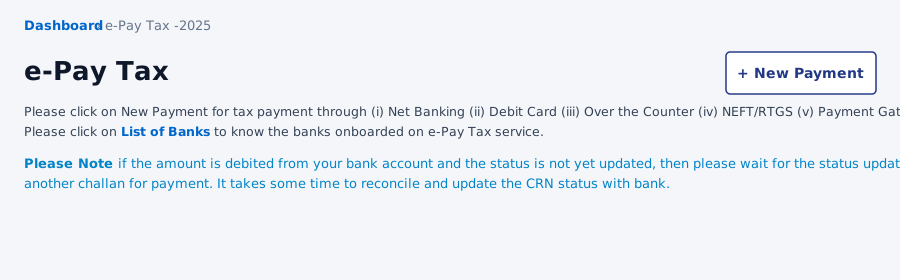
On the e-Pay Tax main dashboard, click the top right '+ New Payment' button to start a new tax challan.
Select Tax Year 2026-27 & Click Pay TDS/TCS
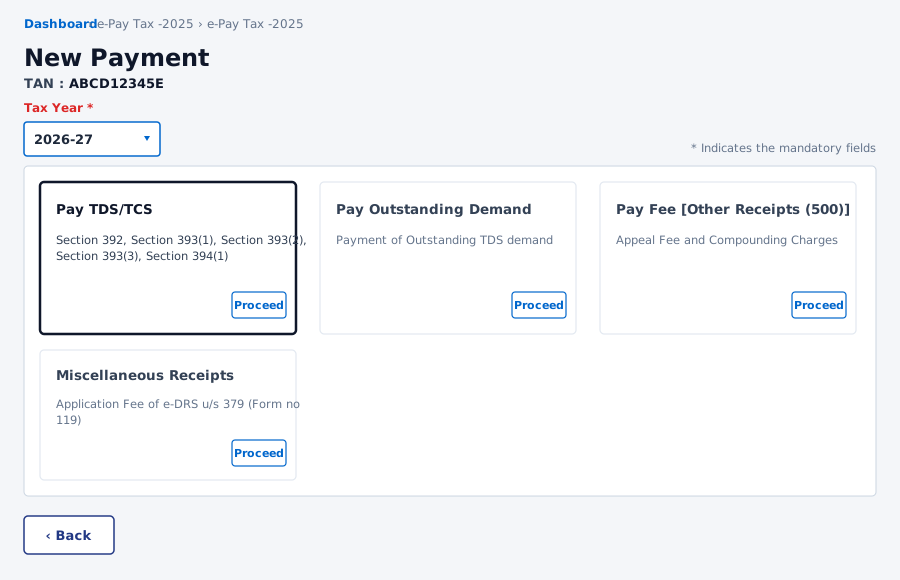
Select Tax Year '2026-27' from the dropdown, locate the 'Pay TDS/TCS' card, and click Proceed.
Select Major Head (0021/0020) & Residential Status
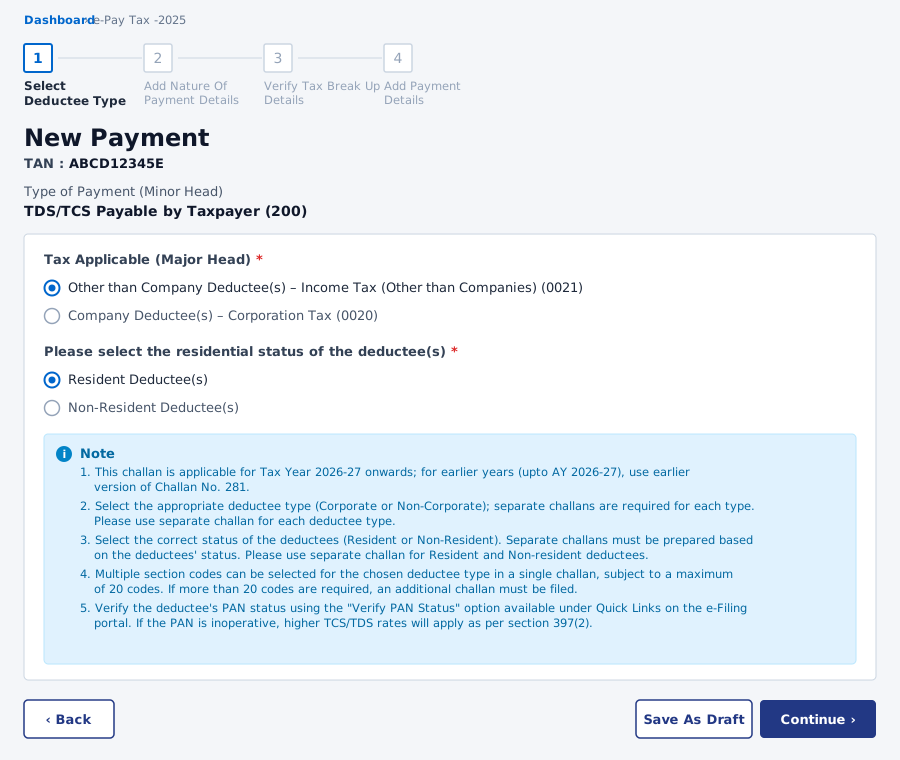
Select Major Head (Other than Company 0021 or Company 0020) and Residential Status (Resident or Non-Resident), review the note box, and click Continue.
Add Nature of Payment Details & Section Codes
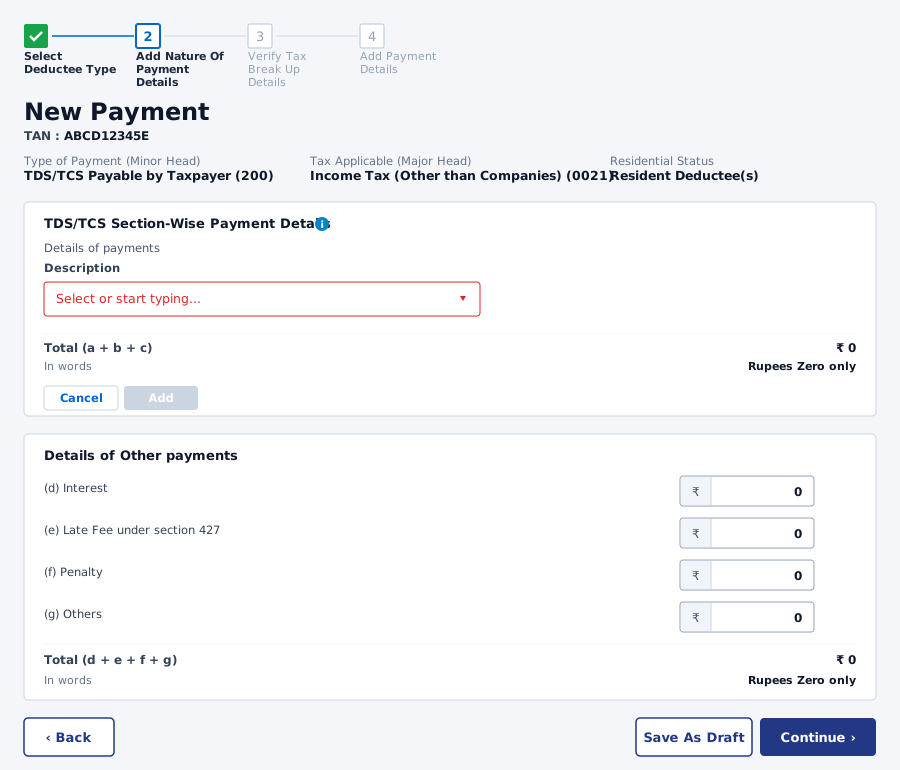
Under 'Details of payments', select or type the section description from the dropdown list and click Add.
Review Selected Section Codes Table
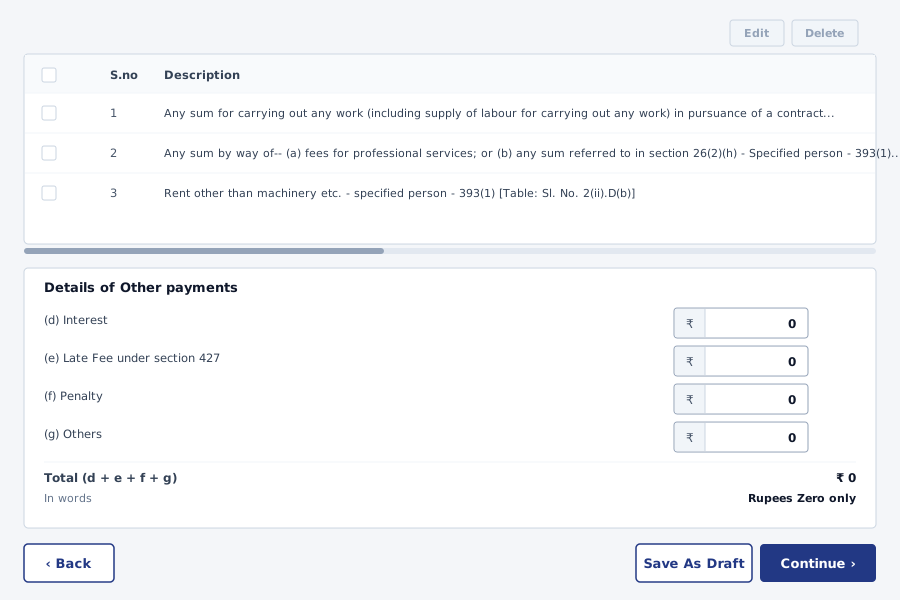
Review the summary table showing all added section codes, enter any interest/penalty if applicable, and click Continue.
Verify Tax Breakup Amount Details
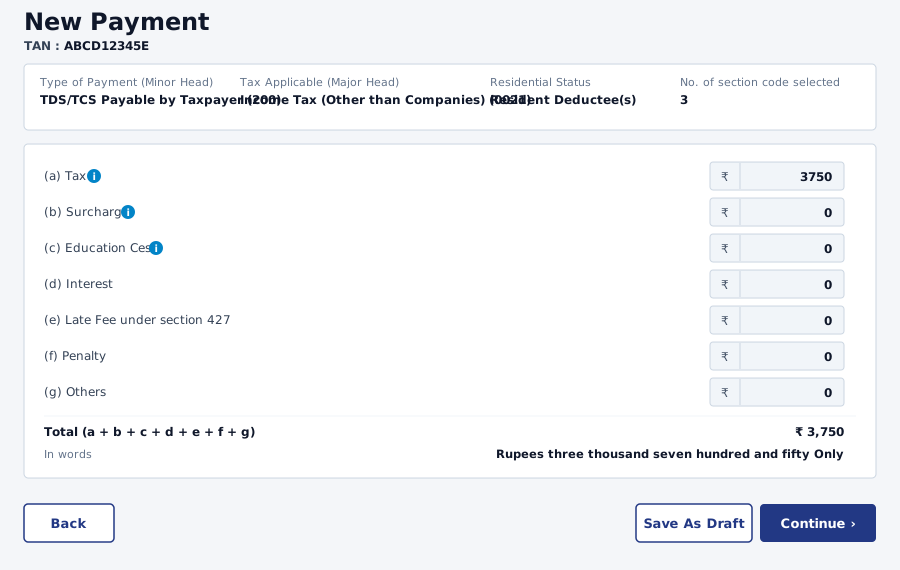
Verify the basic Tax amount breakdown and total in words, then click Continue.
Select Payment Mode (Net Banking / Gateway) & Authorize
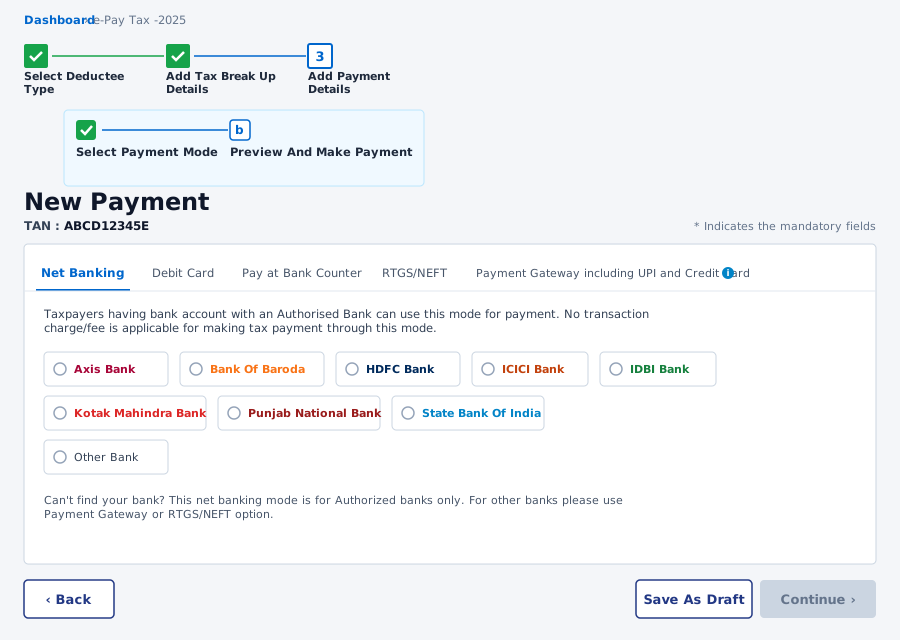
Select your preferred payment mode (Net Banking, Debit Card, RTGS/NEFT, or Payment Gateway), choose your bank, and complete payment.
Common Nature of Payment Codes
Quick reference & copy codes for Step 06 during portal payment
Salary, remuneration, commission, bonus or interest paid to firm partner
Use this code when paying TDS on salary, bonus, or interest paid to partnership/LLP partners.
Rent for land, building, furniture or fittings paid by a specified person
Use this code for TDS deducted on rent for commercial or residential property & fittings.
Professional services or other royalty
Use this code for TDS on fees for professional/technical services, legal, audit & royalty payments.
Next Steps After TDS Payment
Download Challan & forward to NHJC team for TDS return filing
1. Save Payment Receipt (Challan 281) PDF
Download the official TDS Tax Payment Receipt featuring BSR Code, Challan Number & CRN.
2. Forward Receipt to NHJC Team
Share the PDF with your NHJC CA advisor via WhatsApp or Email for Form 26Q / 24Q quarterly return filing.
This guide is prepared by NHJC & Company for general informational and educational guidance purposes only and does not constitute formal legal, accounting, or professional tax advice. Government income tax portal rules, section codes, TAN requirements, and e-Filing user interfaces are subject to official government notifications. Always verify tax amounts and section codes with a qualified Chartered Accountant before completing your transaction.